
SMPlayer 18.9.0 Released with ‘Cast to Smartphone/tablet’ Support
SMPlayer media player 18.9.0 was released today with YouTube fix and a new option. Here’s how to install it in Ubuntu 18.04, Ubuntu 16.04.
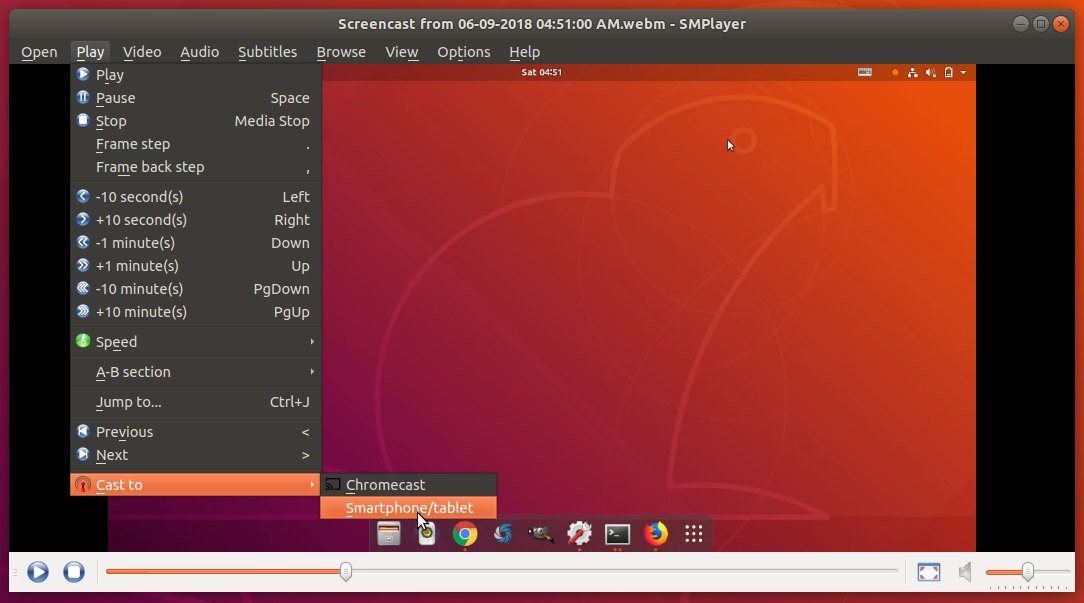
SMPlayer 18.9.0 adds “Cast to -> Smartphone/tablet” option in Play menu (Experimental).
When you click the option, it pops up a dialog with a QR code that you can either scan to play the current video on your device, or open the given URL in your device’s media player.
How to Install SMPlayer 18.9.0 in Ubuntu:
The official SMPlayer PPA has made the new release packages for Ubuntu 18.04, Ubuntu 16.04, Ubuntu 14.04, and even Ubuntu 12.04.
1. Open terminal from application launcher. And run command to add the PPA:
sudo add-apt-repository ppa:rvm/smplayerInput your password (no visual feedback while typing) when it prompts and hit Enter.
2. After that you are able to upgrade the media player via Software Updater:
or install SMPlayer for the first time via commands:
sudo apt-get update
sudo apt-get install smplayer smtube smplayer-themes smplayer-skinsUninstall:
The PPA can be removed or disabled via Software & Updates utility under Other Software tab.
To remove SMPlayer, either use system package manager or run command:
sudo apt-get remove --autoremove smplayer smtube smplayer-*



You can find here packages for Windows


Alternative packages
smplayer-18.6.0-x64.exe (package for Windows 64-bit)
SMPlayer Portable (portable version for Windows)
If you wish you can also try the development version.
Mirror provided by fosshub.com
The MPlayer binaries for Windows have been provided by redxii. More info at http://mplayerwin.sourceforge.net
Source: SMPlayer 18.9.0 Released with ‘Cast to Smartphone/tablet’ Support
 AhmedShimi